Find Limited Edition Cigars in Paradigm's 11,500+ Catalog With Filters
Open Paradigm, scan the whole cigar — band, wrapper, shape, and cap — or run a manual search, then apply the limited edition tag alongside your strength and flavor filters. That combination pulls small-batch releases straight out of the 11,500-plus cigar catalog and ranks them against your own tasting profile. Coverage depends on how a release was cataloged, so a scan or a name search sometimes finds a limited run that a filter alone would miss.
TL;DR:
- Filtering limited edition cigars by strength and wrapper helps narrow results to your preferred taste profile, especially since premiums often have fuller, more experimental blends.
- Scanning the whole cigar — band, wrapper, shape, and cap — can be more reliable than manual searches for newly released or oddly named limited runs, but band condition and lighting affect scan success.
- Searching with brand name and common tokens like LE, Anniversary, or Reserve improves discovery, particularly when catalog entries lack consistent labeling.
- Confirming the limited edition flag on the cigar page before wishlisting or adding it to your humidor ensures correct identification and prevents misclassification.
- Logging tasting notes and updating your palate profile after smoking helps refine future filter results, making personalized discovery more accurate over time.
How Do You Filter Limited Edition Cigars in Paradigm?
Finding limited runs in Paradigm comes down to one flag buried in each cigar's record: limited_edition. It shows up on the cigar page and, once a result populates, on the card itself as a small badge. Here's the sequence that gets you there fastest:
- Scan the cigar if you have it in hand — the band, wrapper, shape, and cap together. This matches the record directly and sidesteps any naming confusion.
- Search manually by brand or model name when you don't have a physical band to scan, or when you're browsing rather than holding.
- Check the cigar page for the limited edition badge near the vitola and origin details.
- Layer a taste filter (strength or flavor profile) right after confirming the flag, so you're not scrolling through every limited run in the catalog.
Scanning the whole cigar can outperform manual search for oddly named or newly released cigars, since it matches band, wrapper, shape, and cap together rather than relying on typing the exact brand string.
Pro Tip: If a scan comes back with no match, don't assume the cigar isn't in the catalog. Try a manual search using just the brand name first, then narrow by model. Limited releases often get added to the database days or weeks after they hit retail shelves.
Refine Limited Edition Results to Match Your Palate
Strength is the fastest proxy for taste you have. Filtering limited editions by mild, medium, or full body cuts a crowded results list down to something you'll actually enjoy, especially since limited runs frequently skew toward fuller, more experimental blends than a brand's standing lineup.

Wrapper and origin tell you almost as much, almost as fast. A darker wrapper (Maduro, Oscuro) usually signals more sweetness and heavier body, while a lighter Connecticut or Claro shading points toward creamier, milder smoke. Paradigm's flavor radar maps these tendencies visually across sweetness, spice, earth, and other axes, so you can eyeball a limited edition's profile before committing a slot in your humidor.
Combine flags and you get real precision. A few combos worth trying:
- Limited edition + full strength + Maduro wrapper, for a heavier one-off worth saving for a slow evening.
- Limited edition + medium strength + Connecticut wrapper, for a gentler limited run you can smoke on a weeknight.
- Limited edition + high tasting match score, letting your palate profile do the filtering for you instead of guessing from specs alone.
- Limited edition + specific origin (Nicaragua, Dominican Republic), if you already know which region's terroir you gravitate toward.
Strength filtering matters more than most smokers assume. Body and strength aren't the same thing, and conflating them is the single most common reason a "safe-looking" limited edition turns out too intense. Paradigm's tasting match feature exists specifically to catch that gap, weighing your palate profile against a cigar's actual strength data rather than its reputation.
Advanced Search Tricks and Known API Limits
Manual search rewards specific phrasing. Limited runs get labeled inconsistently across brands, so searching just "Limited" misses plenty. Try brand name plus a partial model string, and rotate through common tokens: LE, Anniversary, Master Edition, and Limited itself all show up regularly in how producers name short-run releases. If your first search returns nothing, try the brand alone and scroll rather than assuming the catalog is empty.
Scanning has its own quirks. Bands with foil, heavy embossing, or curved wrapping on a torpedo vitola sometimes confuse the camera. A few fixes that consistently help:
- Flatten the band gently against a surface before scanning instead of scanning it on the cigar.
- Use even, direct lighting rather than a dim room or a flash that creates glare.
- Retry with a tighter, closer crop on the band's logo if the first scan times out.
There's a structural limit worth understanding before you get frustrated with the results. The Cigarbase API that powers this kind of catalog search returns fields like strength, wrapper, and flavor radar in every result, but the search endpoint itself filters only against a text query matched to cigar and brand names. Wrapper and strength ride along in the response. They aren't always accepted as filter parameters on the backend.
That's why the practical workaround is a two-step filter: run the query first, then filter the returned results client-side by the strength or wrapper data that's already attached to each record. It's a workaround built around what the data actually supports, not a shortcut that hides a limitation.
If a limited release genuinely isn't in the catalog, that's worth reporting rather than working around indefinitely. Contacting support with the brand, exact name, and band photo helps get it added for the next person searching the same run.
Save and Act Before the Run Disappears
Limited editions don't wait. Once you've confirmed the flag and matched it against your taste filters, the next move is locking it into your own tracking so you don't lose the thread.
- Add it to your wishlist straight from the cigar page if you haven't bought it yet.
- Move it to your humidor once it's in hand, so your collection reflects what you actually own.
- Recreate your search pattern manually every so often as a stand-in alert, since limited runs get added to the catalog on a rolling basis rather than all at once.
- Check discovery, top picks, and critics' choices periodically. New limited entries often surface there before a manual search catches up.
- Log tasting notes in your journal after you smoke it. That single note feeds back into your palate profile and sharpens every future limited-edition match.
Why Limited Editions Sometimes Don't Show Up
Three things usually explain a missing limited run: a naming mismatch between the band and the catalog entry, a release that hasn't been tagged as limited edition yet, or a genuine gap in catalog coverage for a very new or very small production.
Scan failures compound the problem, especially on bands with unusual foil or curvature. A short checklist fixes most of it:
- Broaden your search to brand name only, dropping the specific model.
- Try scarcity-adjacent synonyms (Limited, LE, Anniversary, Reserve) instead of assuming the exact word "limited" appears.
- Check the cigar page directly if you know the model exists, since the flag sometimes lives there even when it didn't surface in search.
- Submit the missing entry or band photo to support if none of the above works.
Treat scarcity claims from outside sources with some skepticism too. Press coverage of limited runs often leans on "once it's gone, it's gone" language that doesn't always match production reality, so the cigar's own record inside Paradigm is the more reliable check.
Pro Tip: Community journal entries are an underused resource here. If another user has logged a limited run with tasting notes, that's often confirmation the release exists in the catalog even if your own search missed it on the first pass.
A Typical Limited-Edition Discovery Session
Picture a Friday night with an unfamiliar band in hand. Scan it, confirm the limited edition flag on the cigar page, check the strength against your usual comfort zone, then save it to your wishlist before you even light up. That order matters more than it seems. Confirming the flag first keeps you from wishlisting something misidentified.
After the smoke, the journal entry is what pays off later. Logging strength, flavor notes, and your overall impression feeds directly into your palate profile, so the next limited run you filter for gets ranked with a little more accuracy than the last one. Over several sessions, that feedback loop is what turns a generic filter into a genuinely personal one.
— Yaro
Add Paradigm to Your Home Screen and Start Filtering
This app gives you something a retail search page can't: a catalog of many Cuban and New World cigars cross-referenced against your own strength and flavor preferences, not a generic star rating. Scanning a cigar's band, wrapper, and shape together can identify it quickly, tasting matches indicate whether a limited run fits your palate before purchase, and features like wishlist, humidor, and journal help keep your discoveries organized.
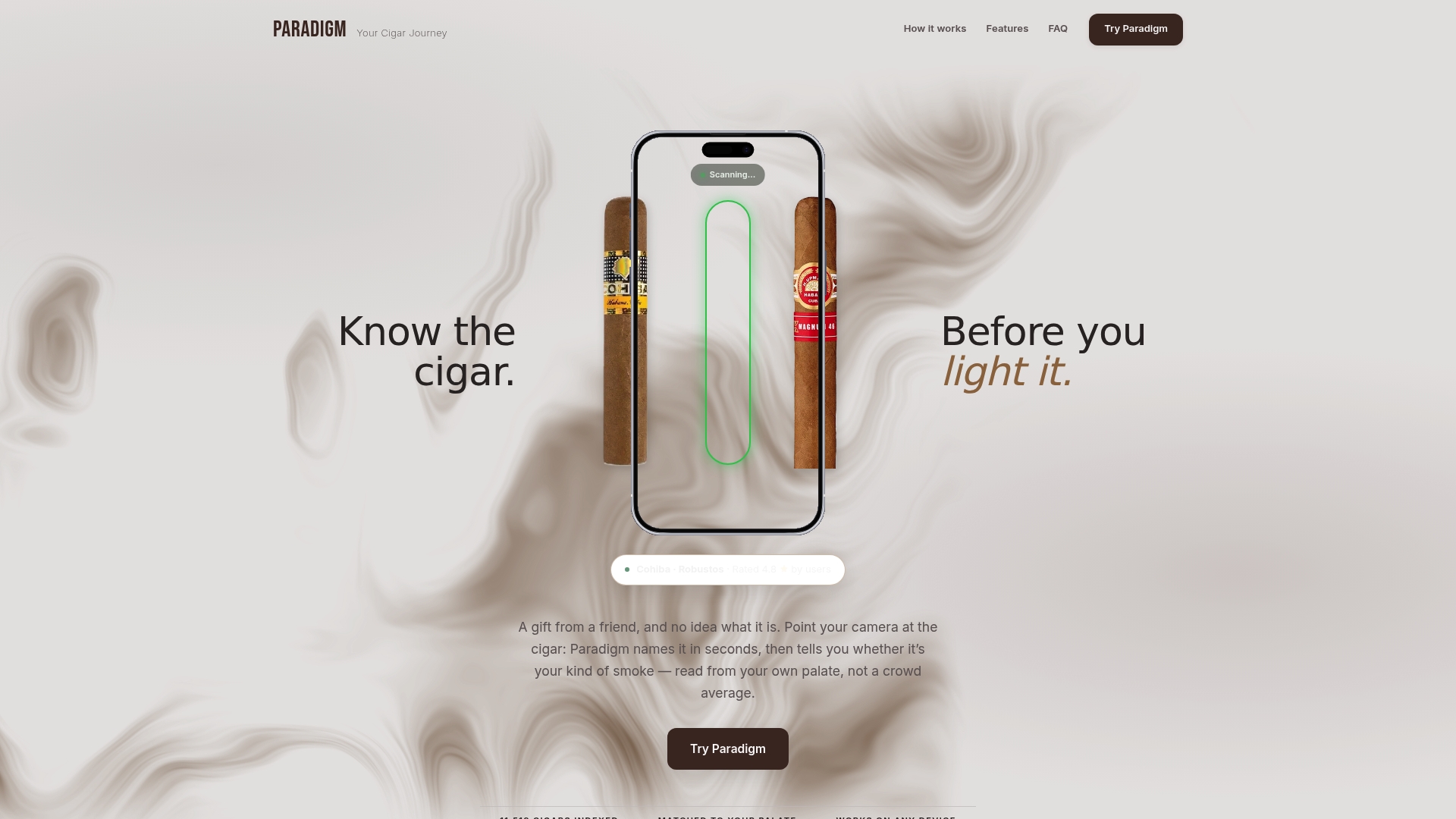
Because this service runs as a progressive web app, there's nothing to install from an app store. Open the site on your phone, add it to your home screen, and it behaves like a native app from that point forward, ready to scan the next cigar you come across. Visit Paradigm to set up your palate profile and run your first limited-edition filter today.
FAQ
What Does the Limited Edition Flag Mean in Paradigm?
It's a tag inside a cigar's record marking it as a small-batch or short-run release rather than a standing production blend. You'll see it on the cigar page and as a badge on result cards once a search or scan returns a match, per Paradigm's app documentation.
Can I Filter by Strength and Limited Edition at the Same Time?
Yes. Apply the limited edition flag first, then layer strength (mild, medium, or full) to narrow results down to something matching your usual preference, using the same strength and flavor logic Paradigm applies to its tasting match system.
Why Doesn't My Search Show a Limited Cigar I Know Exists?
Usually it's a naming mismatch, an untagged release, or a catalog gap for a very new product. Broaden the search to brand name only, try synonyms like Anniversary or Reserve, or submit the missing entry to support.
Does Scanning a Cigar Work Better Than Manual Search?
Scanning a cigar's band, wrapper, shape, and cap together tends to match more reliably for oddly named or newly released cigars, since it identifies the physical product directly rather than relying on typed text. Manual search works well too, but it depends on typing the brand and model close to how they're stored in the catalog.
Can I Get Alerts for New Limited Editions?
Paradigm doesn't push automatic alerts, but recreating a saved search pattern periodically and checking discovery and top picks functions as a manual version of the same thing. Wishlisting a cigar the moment you spot it is the safest way not to lose track of it.